Why Should You Use the MIC in READY OR NOT PS5 to Dominate Your Squad?
One of the most important things in Ready or Not is communicating with your teammates through the mic, especially on PS5 where some players have trouble getting this to work. In this READY OR NOT game guide, I'm gonna fully explain how to Use the MIC in READY OR NOT PS5 so you can use all the in-game options.
The main method to Use the MIC in READY OR NOT PS5
The main thing to be able to use the mic in READY OR NOT PS5 is pressing the right button on your controller. Unlike other games, voice chat in READY OR NOT depends on one specific button.
The button for using the mic
To Use the MIC in READY OR NOT PS5, you just need to press and hold the L1 button. If you tap it once, your Tactical Menu opens, but if you hold it down, your microphone activates and you can talk to other players.
Mic options in READY OR NOT
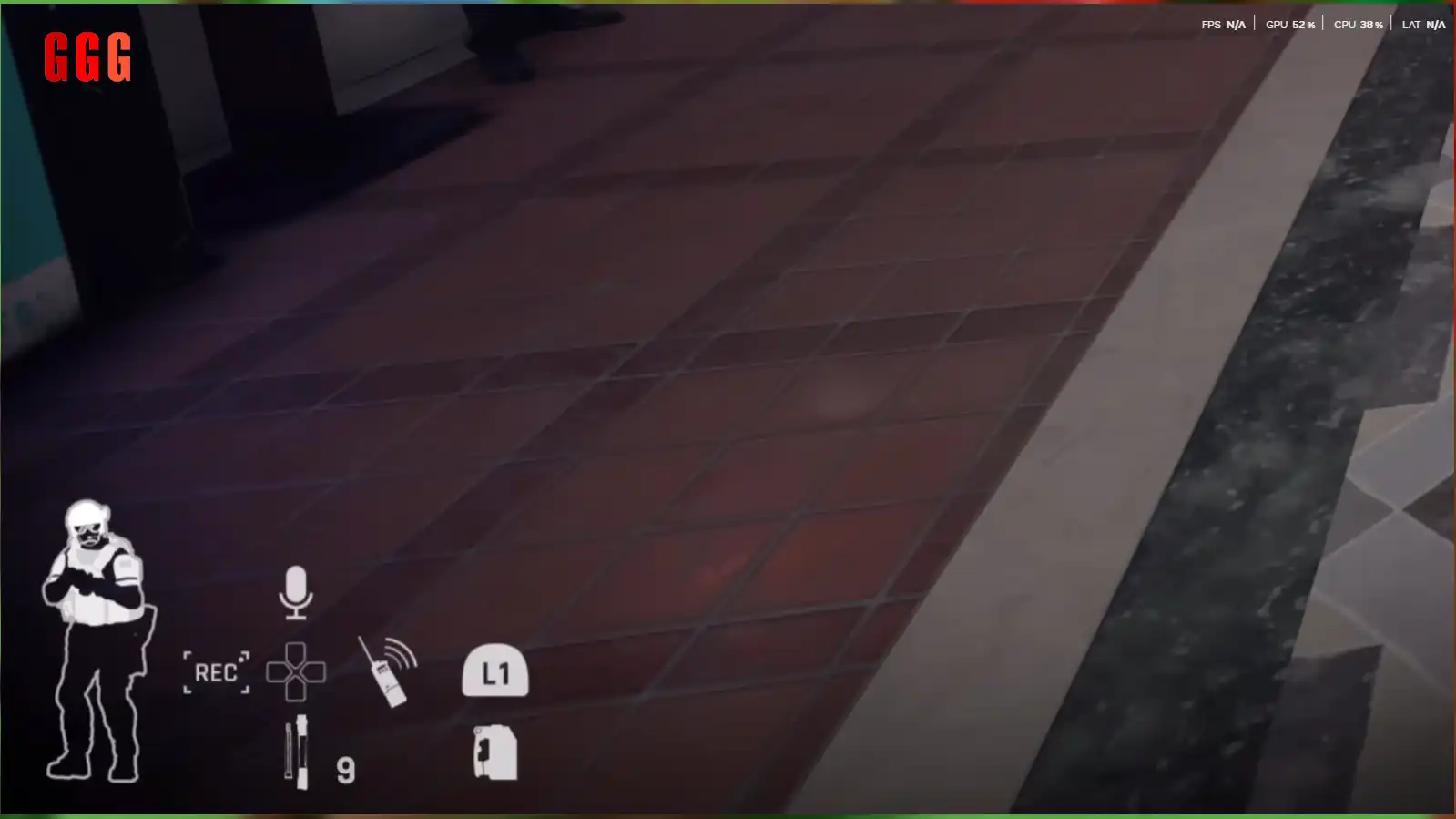
When you hold L1 to Use the MIC in READY OR NOT PS5, a few options show up on the left:
Mute/Unmute: Use the Up button on the Directional Pad to turn your mic on and off.
Change Channel: Press the Right button on the Directional Pad to change communication channels.
Types of Change Channel
Generally, there are two communication channels in the game:
Local: Good for talking to people nearby, useful for on-the-fly coordination with teammates in the same spot.
Team: Good for talking to all team members no matter where they are on the map.
Complete guide to advanced mic settings in READY OR NOT
Besides using the button and channels, you can adjust more detailed settings for the MIC in READY OR NOT PS5.
Lobby Manager and Social Settings
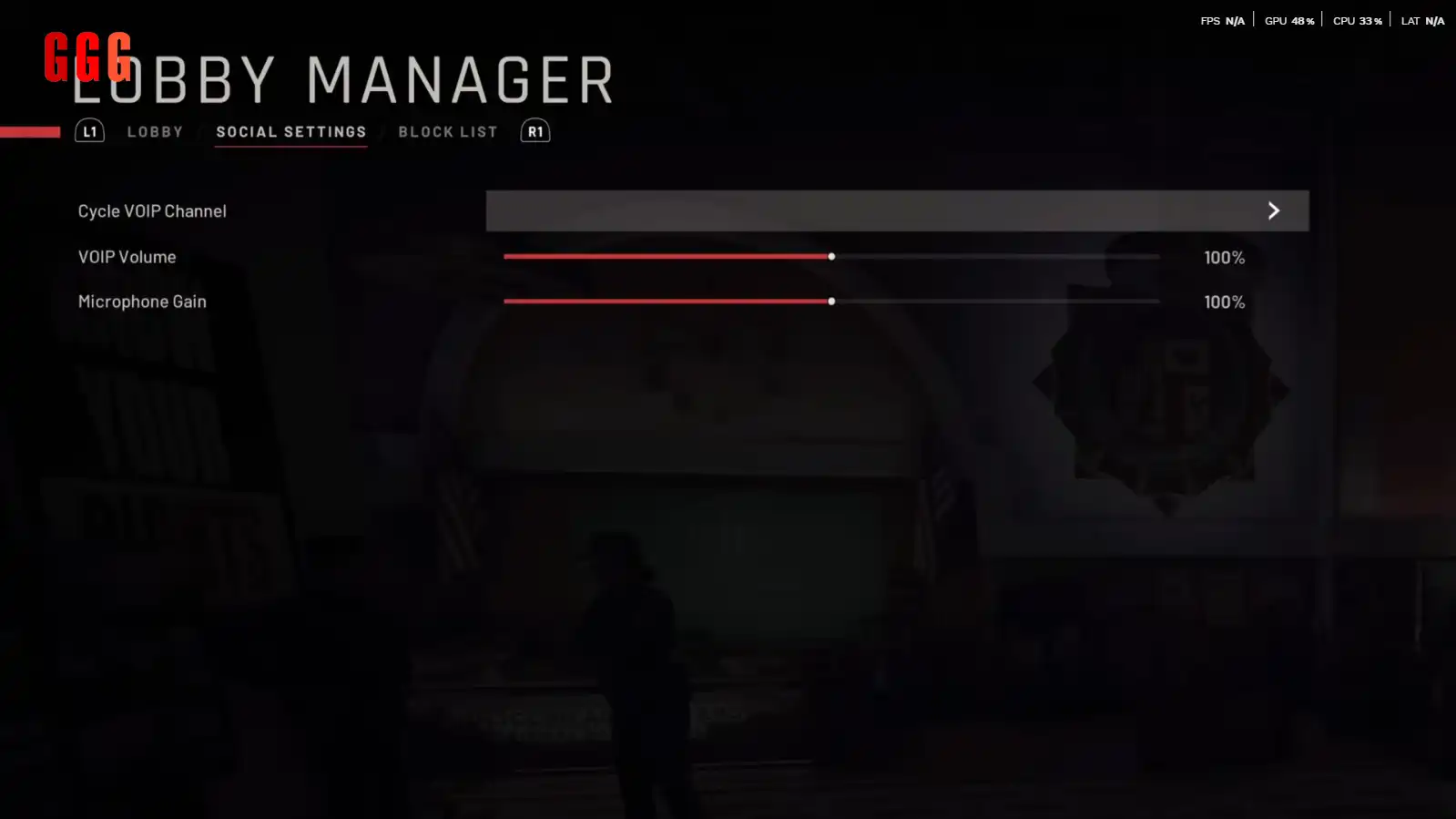
In the Lobby Manager, you can adjust lobby settings, and in Social Settings, you can adjust Voice Volume and Microphone Gain.
Voice Volume: Controls how loud other players sound to you.
Microphone Gain: Adjusts how sensitive your mic is so it sends clearer audio to your teammates.
Be careful when messing with these settings. If you set them too high or too low for your equipment, it can cause feedback in your voice or make you sound too quiet.
h2: Final summary for Use the MIC in READY OR NOT PS5
In this guide, I gave you all the info to Use the MIC in READY OR NOT PS5, but if I wanna give you a quick summary, here it is:
Push-to-Talk: Hold L1 button
Mute/Unmute mic: Up button on D-PAD
Change Local/Team channel: Right button on D-PAD
Local channel: Good for teammates near you
Team channel: For all team members anywhere on the map
The foundation of this game is communication, and if you can effectively use the mic to talk to your teammates on PS5 in Ready or Not, your mission success rate goes way up.