Complete Guide to Build and Tune in Forza Horizon 6
One of the big appeals of Forza Horizon is being able to tune and upgrade the cars in it, so you can prep any car however you need and like. Sure, it's a bit of a hassle, and some people just use ready-made tunes, but you gotta admit—if you don't really get how this mechanic works, you can't enjoy the full thrill and fun of the game. Today I'm gonna drop the Full Guide to Build and Tune in Forza Horizon 6 and walk you through all the mechanics step by step. So stick with me.
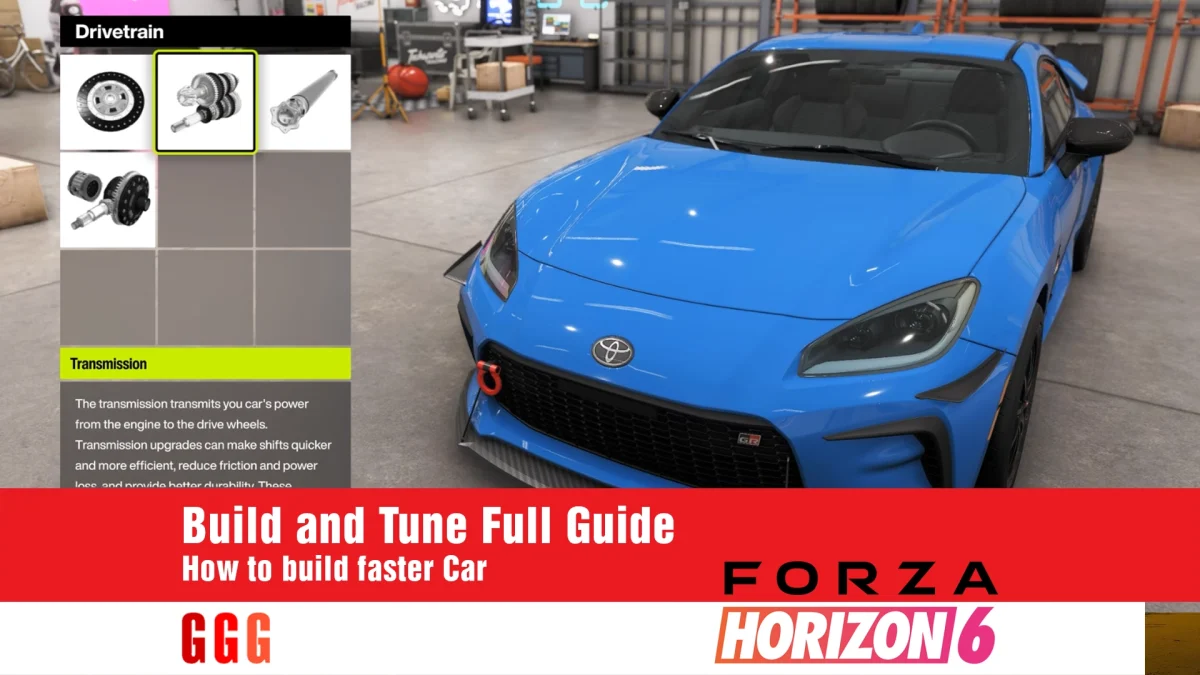
Common terms in Build and Tune in Forza Horizon 6
Before getting into this Build and Tune in Forza Horizon 6 guide, I gotta explain some common terms so you don't get confused.
| Term | What it means |
|---|---|
| PI | Short for Performance Index—the number shows how powerful the car is |
| Class | Car classification based on PI (D to S2 and R) |
| Understeer | How much the car wants to go straight and not turn into corners |
| Oversteer | When the rear of the car rotates too much, causing it to slide |
| AWD / FWD / RWD | All-wheel drive, front-wheel drive, and rear-wheel drive |
| Mechanical Grip | How much the car grips from tires and suspension—nothing to do with aero |
What's the difference between Build and Tune in Forza Horizon 6?
Basically, with Build you buy the parts for the car and install them, then in the Tune stage you adjust those parts to get the best output. Keep in mind that if you go to Tune before Build, you won't get the result you're after, and everything might get messed up.
Build principles in Forza Horizon 6
For Build, you gotta follow one general rule: always try to take the car one or two classes above its original. Here's my suggestion for upgrade order:
| Order | Upgrade | Note |
|---|---|---|
| 1 | Conversion and Engine Swap | Weight matters in the final result, and you don't always need a heavy engine |
| 2 | Drivetrain Swap | For Off-road, I suggest AWD, but in lower or mid classes, RWD can work fine too |
| 3 | Adjustable Aero | Not worth the cost below B class, but good above that |
| 4 | Tire and Tire Width | Compared to the previous game, this might be the most important change |
| 5 | Brake | Definitely worth investing in |
| 6 | Weight Reduction | Don't cheap out on this part at all |
| 7 | Power | Spend the rest of your PI here |
The importance of Tire and Brake
In this FH game, you really feel the effect of tires—if your tires are bad, they hurt your game more, and if you use good tires, they help a lot.
Note: If your Grip is low, you can easily just increase tire width a level or two without upgrading the Compound.
Note: In lower classes, standard brakes cause the car to lock up, so definitely upgrade them too.
For tire choice, I suggest normal or Street tires in lower classes. In mid classes, it's better to use Rally and Drift for road than Sport, and in high classes, Semi-Slick and Slick perform amazingly, plus Off-road tires for Off-road.
Tune guide in Forza Horizon 6
Continuing this Build and Tune in Forza Horizon 6 guide, we get to the important Tune part. Now that you're done with Build, it's time to tune the car. There's a golden rule for this: change one thing, test it, then move to the next. I suggest following this order:
- Tire Pressure
- Springs and Ride Height
- Camber, Toe, Caster
- Anti-Roll Bar (ARB)
- Damping
- Brake
- Differential
- Aero
- Gearing
Best starting settings
To have a strong start, I suggest setting things up like this, though these can change based on your driving style.
| Setting | Starting point |
|---|---|
| Tire Pressure | Around 26-28 PSI for Street and Rally tires; around 32 for Semi, Slick, Drift, and trucks |
| Camber (AWD) | Front around -1.5 to -2, rear -1 to -1.5; less than the game default |
| Toe | Keep it close to zero unless you need a little |
| Caster | The higher the better, up to 7 degrees |
| Damping | Rebound 12-20 and Bump 5-7 |
| Brake Pressure | Around 100% is a good amount |
| Differential (AWD) | High Acceleration but under 95%; Deceleration above 5-10%; Center Diff above 50% (usually 60-90) |
| Differential (RWD) | Acceleration around 50-60%; Deceleration 10-20% |
Note: It's better to go soft on springs and high on ARB, and try to keep the balance between the two.
What does Mechanical Balance do?
When you're setting up Build and Tune in Forza Horizon 6, you'll run into a new setting that wasn't in previous games, called Mechanical Balance. The higher the number, the more front grip you have compared to the rear. If it's too low, the car understeers, and if it's too high, the car gets unstable. I suggest keeping it around 0.6.
How does Aero affect Build and Tune in Forza Horizon 6?
This number basically sets the balance between the front and rear of the car. Try to keep it between 0.45 and 0.42, then adjust the Downforce based on your track. More Downforce means more Grip but less speed.
Guide to fixing car problems in Forza Horizon 6
A lot of times while driving in FH6, you'll hit problems and not know what to do. Here's a little guide showing you how to handle each one.
| Problem | Solution |
|---|---|
| Understeer (won't turn) | Fix it by lowering front tire pressure or softening the front ARB |
| Oversteer (slides) | I suggest either softening the rear ARB or increasing rear Downforce |
| Car bounces too much | Better to increase Rebound |
| Brake lockup | Better to move Brake Balance forward a bit and lower brake pressure |
| Slow corner exit | Increase Acceleration Diff to fix this |
| Low top speed | Increase Final Drive toward Speed |
Which is the best car for Build and Tune?
To answer this, you can't just pick one car as the best and boost it with Build and Tune. For each type of race—Road, Dirt, Drift, or Drag—you gotta pick the right car and make changes to it. For example, if you want a car for speed races, you can use the AE86 Forza Edition, but it might not be great for Drift races.
For practicing and learning Build and Tune in Forza Horizon 6, pick a car you're comfortable with and enjoy driving. If you're looking to pick the best cars in the game, I suggest checking out the Top 10 Car in Forza Horizon 6.
Summary of key tips in the Full Guide to Build and Tune in Forza Horizon 6
Always remember that doing these things can cause you problems:
- Changing several settings at once without knowing how they'll affect the output
- Making big changes suddenly instead of tweaking small things and checking the result
- Not setting aside any PI for tires and brakes
- Maxing out Aero on speed tracks
Note: No Tune is perfect, so don't go looking for one.
By following these tips, you can get a good start with Build and Tune in Forza Horizon 6, but keep in mind you'll eventually need to adjust them to your driving style. For more game guides, check out the Forza Horizon 6 Guide.